Concrete Volume Calculator: Slabs, Footings, Cubic Yards and Cubic Meters
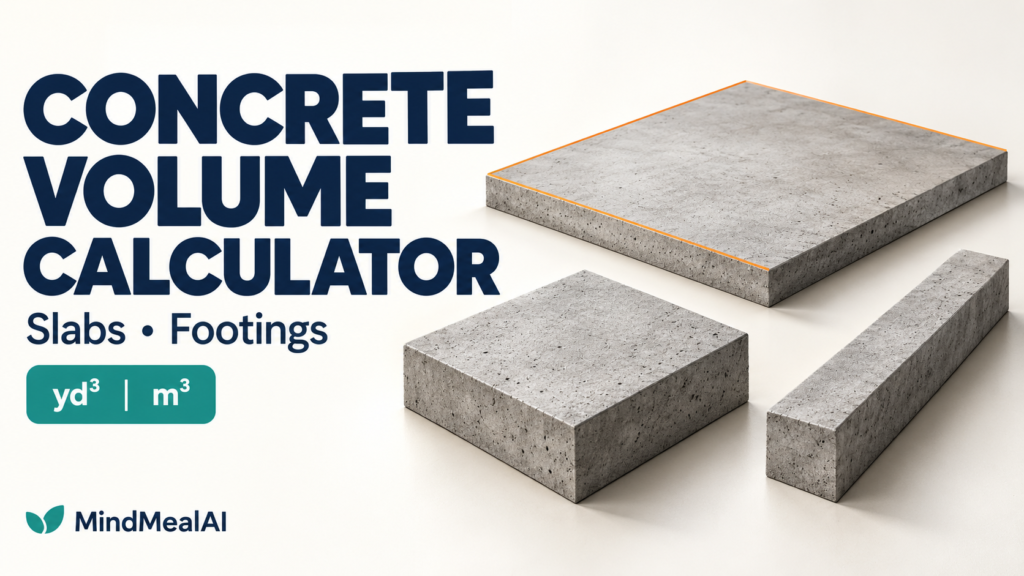
Use this Concrete Volume Calculator to estimate concrete for rectangular slabs, isolated footings, and strip footings. Enter the dimensions and quantity to see the net volume in cubic yards (yd³) and cubic meters (m³). An optional extra allowance is shown separately, so you can see exactly how the total is built up.
Calculate Concrete Volume
Choose a shape. Each dimension has its own unit selector: ft, in, m, or mm. Changing a unit converts the entered dimension. Use decimal numbers; for example, 6 ft 6 in = 6.5 ft.
Where to Measure Length, Width, and Depth
All three options use the volume of a rectangular block. The difference is what the dimensions describe. Measure the actual concrete boundaries, not the outside of form boards.
How to Use the Calculator
- Choose slab, isolated footing, or strip footing.
- Enter length, width, and vertical thickness or depth. Check each unit.
- Enter the number of identical elements. Use separate calculations for different dimensions.
- Enter an extra allowance percentage, then select Calculate volume.
- Review net volume, added volume, and total before discussing the order with your supplier.
Concrete Volume Formulas
Net volume = length × width × depth × quantity
Convert all three dimensions to the same length unit before multiplying. Three dimensions in feet give ft³; three dimensions in meters give m³.
Cubic yards = cubic feet ÷ 27
Cubic meters = cubic yards × 0.764554857984
Extra volume = net volume × allowance percentage ÷ 100
Total volume = net volume + extra volume
Worked Examples
| Element | Dimensions per element | Qty | Net yd³ | Net m³ | Extra yd³ | Total yd³ |
|---|---|---|---|---|---|---|
| Slab | 20 ft × 10 ft × 4 in | 1 | 2.4691 | 1.8878 | 0.1235 | 2.5926 |
| Isolated footing | 3 ft × 3 ft × 12 in | 4 | 1.3333 | 1.0194 | 0.0667 | 1.4000 |
| Strip footing | 40 ft × 24 in × 12 in | 1 | 2.9630 | 2.2653 | 0.1481 | 3.1111 |
For the slab, first convert 4 in to 4/12 ft. Net volume = 20 × 10 × (4/12) = 66.6667 ft³. Divide by 27 to get 2.4691 yd³. Adding 5% gives approximately 2.5926 yd³ / 1.9822 m³. Add the allowance before rounding the final result.
Metric example: A 6 m × 4 m slab with 150 mm thickness contains 6 × 4 × 0.150 = 3.6000 m³. With 5% extra, add 0.1800 m³ for a total of 3.7800 m³, approximately 4.9441 yd³.
Net Volume vs. Extra Allowance
Net volume describes the ideal geometry you entered. The additional allowance is a separate planning input for real placement conditions. Uneven excavation, variable thickness, and placement losses can change the amount needed. Confirm the final allowance and ordering increments with the contractor and concrete supplier.
NRMCA CIP 31, Ordering Ready Mixed Concrete (2023 revision), discusses adding contingency to the plan quantity. This calculator leaves that percentage editable; its 5% starting value is illustrative and is not a code requirement.
Avoid These Common Quantity Errors
- Entering inches as feet: A 4-inch slab is 0.3333 ft thick, not 4 ft.
- Counting footing intersections twice: Shared concrete belongs in the takeoff once.
- Adding a full thickened edge over a full slab: Add only the edge volume outside the slab volume already counted.
- Forgetting separate concrete: Pedestals, stem walls, steps, and grade beams need their own takeoffs.
- Using one quantity for different sizes: Calculate each group of identical dimensions separately.
Frequently Asked Questions
Can I mix feet and inches?
Yes. For example, use feet for slab length and width, then inches for thickness. The calculator converts each input before multiplying. Fractions such as 3/4 are not parsed; enter 0.75.
Does changing the shape erase my numbers?
Each shape keeps its current inputs while the page remains open. Reset this example restores only the selected shape. Inputs are not saved after a page reload.
Does this subtract reinforcement or openings?
No. Results are gross rectangular concrete volumes. There is no automatic deduction for bars, embedded items, or openings. Account for material voids separately when preparing your takeoff.
Can I use it for sloped or stepped footings?
Not directly. Divide stepped elements into nonoverlapping rectangular blocks. Tapered or sloping elements require the appropriate geometric formula; do not treat them as uniform-depth blocks.
Is the total the exact amount I should order?
It is an estimate from your dimensions and selected allowance. Actual excavation and placement conditions, supply increments, and project requirements still need review. The tool does not calculate bag counts, truck loads, or concrete mix proportions.
Related Tools
Feet and Inches Calculator — prepare decimal dimensions.
Fraction to Decimal Inches Chart — convert fractional inches before entering dimensions.
Calculation Basis and References
Geometry: rectangular prism volume. Exact unit relationships: 1 ft = 0.3048 m; 1 in = 0.0254 m; 1 yd³ = 27 ft³ = 0.764554857984 m³. Reference basis: NIST Handbook 44, Appendix C (2014), and NRMCA CIP 31, Ordering Ready Mixed Concrete (2023 revision). The tool is a quantity calculator, not a structural-design or code-compliance check.
MindCore